Product Description
Overview
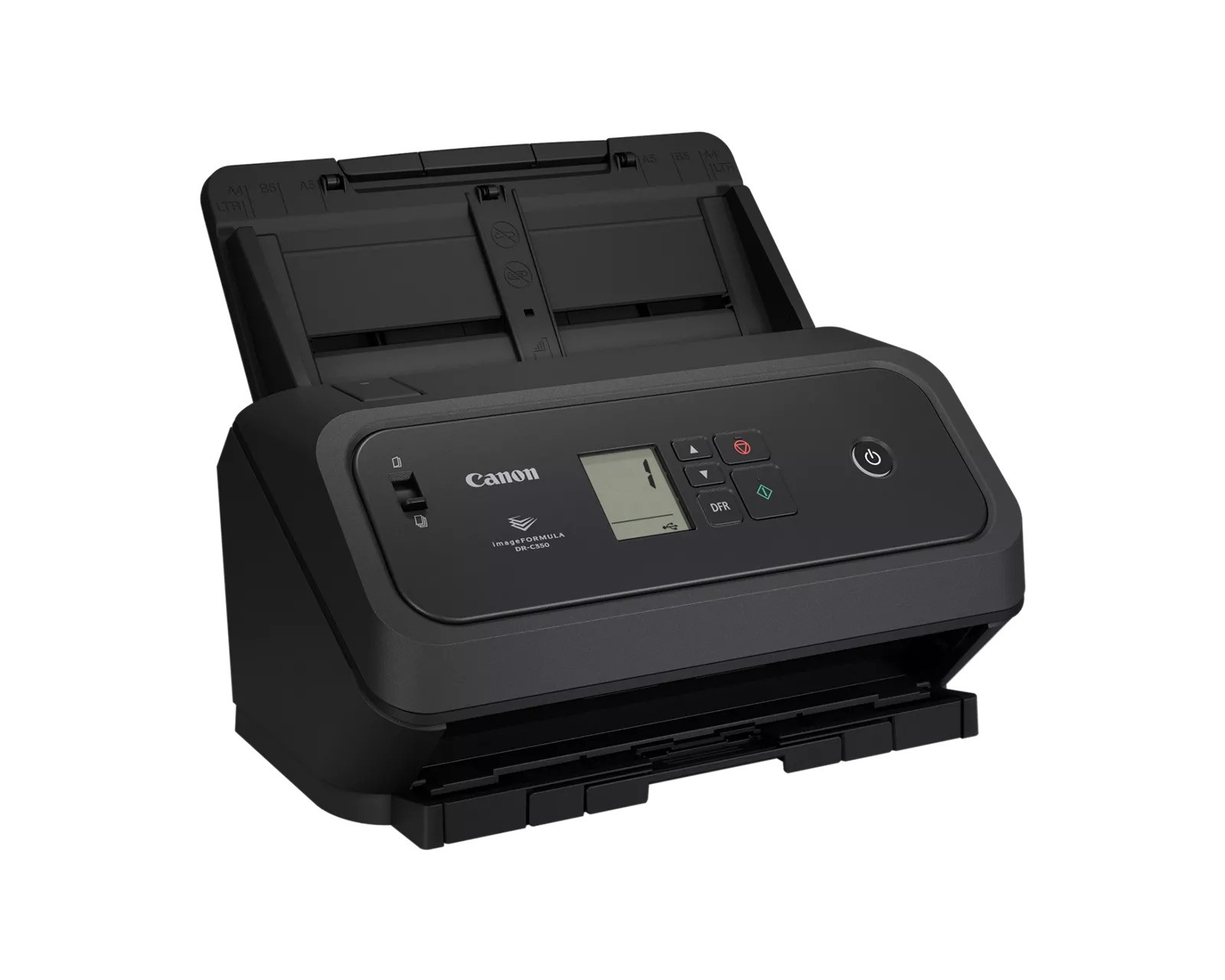
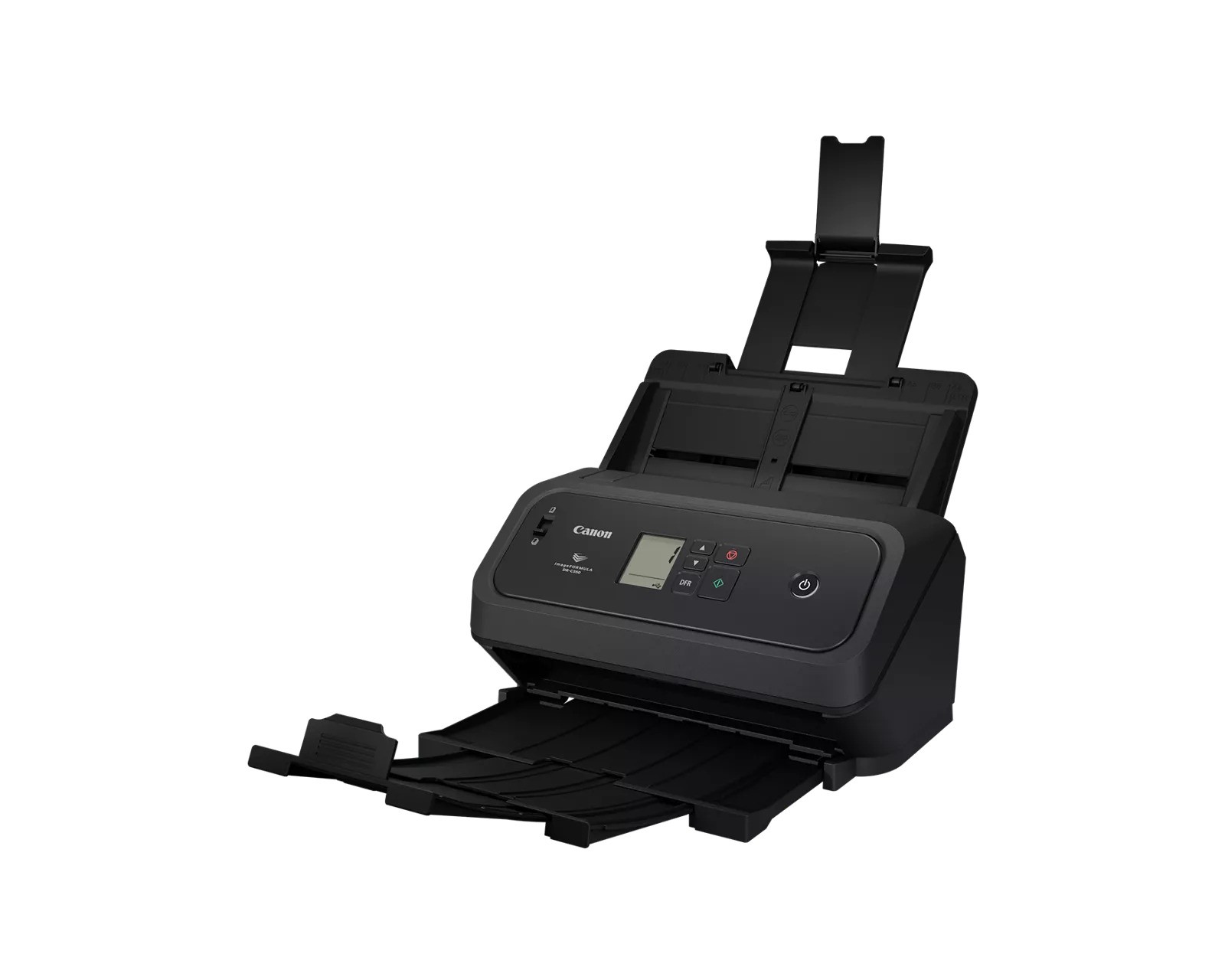
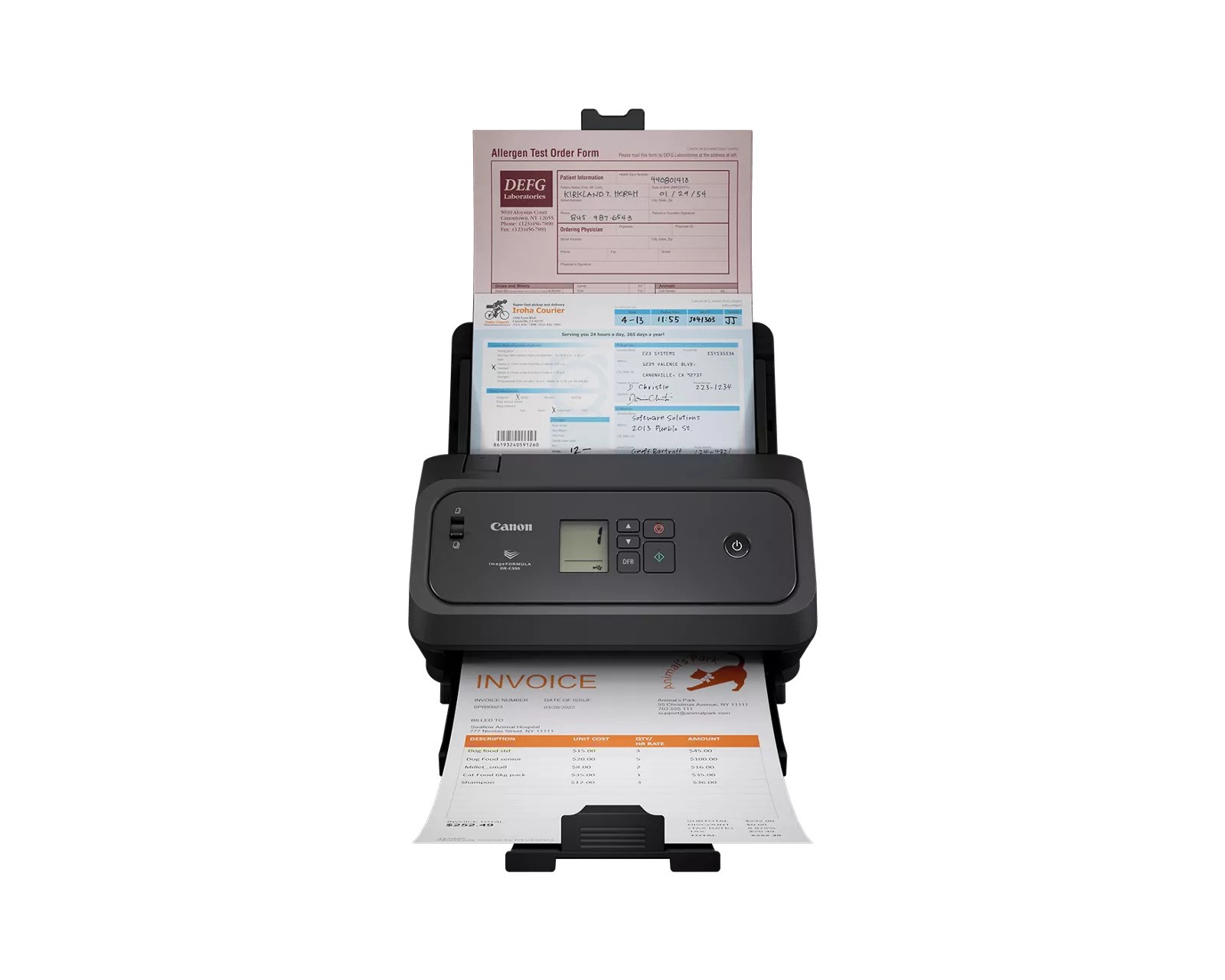
Help boost office efficiency and productivity with the user-friendly Canon imageFORMULA DR-C350 office document scanner. MFG Part Number 7290C002.
With its powerful document capture capabilities and dynamic ability to scan various document types—such as virtually any passport without a carrier sheet,1—this scanner can easily convert paper-based documents into high-quality digital files for almost any office environment. Its compact body, approximately 30% smaller than predecessor models, allows for easy placement in workspaces with limited space, making it a practical solution for both small and large offices alike.
Help boost office efficiency and productivity with the user-friendly Canon imageFORMULA DR-C350 office document scanner. MFG Part Number 7290C002.
With its powerful document capture capabilities and dynamic ability to scan various document types—such as virtually any passport without a carrier sheet,1—this scanner can easily convert paper-based documents into high-quality digital files for almost any office environment. Its compact body, approximately 30% smaller than predecessor models, allows for easy placement in workspaces with limited space, making it a practical solution for both small and large offices alike.
WIDE RANGE OF USES
Sectors such as government, financial/banking, retail, insurance, hotel and tourism services, transportation, rental and leasing services, legal services, and more can benefit from the dynamic scanning the imageFORMULA DR-C350 scanner offers. It can be used to integrate information into digital workflows for process automation and information distribution while helping to increase collaboration among individuals or workgroups. The imageFORMULA DR-C350 scanner can help assist with efficient records management and reduce paperwork in paper-intensive environments.
Sectors such as government, financial/banking, retail, insurance, hotel and tourism services, transportation, rental and leasing services, legal services, and more can benefit from the dynamic scanning the imageFORMULA DR-C350 scanner offers. It can be used to integrate information into digital workflows for process automation and information distribution while helping to increase collaboration among individuals or workgroups. The imageFORMULA DR-C350 scanner can help assist with efficient records management and reduce paperwork in paper-intensive environments.
DYNAMIC, RELIABLE, FLEXIBLE FEEDING
The imageFORMULA DR-C350 scanner can scan at up to 40 ppm, both sides of a document in a single pass, in color or black-and-white.2 Capable of holding up to 100 sheets, it can handle a variety of document types including thick, thin, long, or oversized documents, plastic or embossed cards, and even passports, in some cases without a carrier sheet,1 for greater versatility and flexibility. In addition, the imageFORMULA DR-C350 comes equipped with a OneTouch, double-feed release button to help allow scanning to resume when double feed is detected for a seamless and more efficient scanning experience.
USER-FRIENDLY
Designed with the user in mind, the imageFORMULA DRC350 scanner features an easy-to-use operation panel with an LCD display, intuitive icons, and simple controls that allow users to start scanning and select pre-configured job tasks with one-touch buttons and more. It can scan different sized documents in mixed batches to help eliminate the wasted time in pre-sorting document types. Bundled with both Canon CaptureOnTouch software, users can preconfigure scan tasks and choose from a wide selection of file distribution options. With CaptureOnTouch software, scanned documents can be sent directly to third-party cloud applications3 such as Microsoft® SharePoint®, Dropbox, Google Drive™, and OneDrive. This scanner is also bundled
with ISIS® and TWAIN drivers for easy integration with third-party software for compatibility. For organizations deploying multiple devices, the DR Scanner Management tool includes fleet management capabilities to help streamline configuration, maintenance, and monitoring across large-scale environments.
The imageFORMULA DR-C350 scanner can scan at up to 40 ppm, both sides of a document in a single pass, in color or black-and-white.2 Capable of holding up to 100 sheets, it can handle a variety of document types including thick, thin, long, or oversized documents, plastic or embossed cards, and even passports, in some cases without a carrier sheet,1 for greater versatility and flexibility. In addition, the imageFORMULA DR-C350 comes equipped with a OneTouch, double-feed release button to help allow scanning to resume when double feed is detected for a seamless and more efficient scanning experience.
USER-FRIENDLY
Designed with the user in mind, the imageFORMULA DRC350 scanner features an easy-to-use operation panel with an LCD display, intuitive icons, and simple controls that allow users to start scanning and select pre-configured job tasks with one-touch buttons and more. It can scan different sized documents in mixed batches to help eliminate the wasted time in pre-sorting document types. Bundled with both Canon CaptureOnTouch software, users can preconfigure scan tasks and choose from a wide selection of file distribution options. With CaptureOnTouch software, scanned documents can be sent directly to third-party cloud applications3 such as Microsoft® SharePoint®, Dropbox, Google Drive™, and OneDrive. This scanner is also bundled
with ISIS® and TWAIN drivers for easy integration with third-party software for compatibility. For organizations deploying multiple devices, the DR Scanner Management tool includes fleet management capabilities to help streamline configuration, maintenance, and monitoring across large-scale environments.
HIGH-QUALITY IMAGING
To help enhance and maintain image quality of documents, the imageFORMULA DR-C350 scanner contains various features such as Auto Color Detection and Auto Resolution settings. These are useful for scanning mixed batches of documents and photographs by automatically adjusting the output resolution to help improve quality and reduce image file size. Other image processing features include Character Emphasis and Text Enhancement that can help to enhance text legibility on hard-to-read documents to ensure accurate document capture.
To help enhance and maintain image quality of documents, the imageFORMULA DR-C350 scanner contains various features such as Auto Color Detection and Auto Resolution settings. These are useful for scanning mixed batches of documents and photographs by automatically adjusting the output resolution to help improve quality and reduce image file size. Other image processing features include Character Emphasis and Text Enhancement that can help to enhance text legibility on hard-to-read documents to ensure accurate document capture.
ENVIRONMENT IN MIND
The DR-C350 is EPEAT gold, meets ENERGY STAR® guidelines for energy efficiency and complies with both the EU RoHS and WEEE directives for the reduction of hazardous substances and waste products.4
CUSTOMER CARE
For investment protection, eCarePAK options are available to extend service beyond the initial three-year advanced exchange limited warranty period. This helps save on costs
associated with post-purchase maintenance, maximizing uptime throughout the product life.
The DR-C350 is EPEAT gold, meets ENERGY STAR® guidelines for energy efficiency and complies with both the EU RoHS and WEEE directives for the reduction of hazardous substances and waste products.4
CUSTOMER CARE
For investment protection, eCarePAK options are available to extend service beyond the initial three-year advanced exchange limited warranty period. This helps save on costs
associated with post-purchase maintenance, maximizing uptime throughout the product life.
Specifications
| Model Name | imageFORMULA DR-C345 | Type | Office Document Scanner |
|---|---|---|---|
| Document Feeding | Automatic or Manual | Document Size – Width | 2″ – 8.5″ |
| Document Size – Length | 2.1″ – 14″ | Long Document Mode | Up to 240″ |
| Document Weight | 7.2 – 110 lb. Bond | Feeder Capacity | Up to 100 sheets |
| Light Source | RGB LED | Control Panel | Monochrome LCD and buttons |
| Scanning Element | One-line contact image sensor (CIS) | Optical Resolution | 600 dpi |
| Output Resolution | 100 / 150 / 200 / 240 / 300 / 400 / 600 / 1200 dpi | Grayscale Depth | 8-bit |
| Color Depth | 24-bit | Scanning Modes | Color, Grayscale, Black & White |
| Max Speed – B&W | Up to 50 ppm (simplex), 100 ipm (duplex) | Max Speed – Grayscale | Up to 50 ppm (simplex), 100 ipm (duplex) |
| Max Speed – Color | Up to 50 ppm (simplex), 100 ipm (duplex) | Interface | USB 2.0 Type C |
| Weight | 7.05 lbs. | Dimensions (H x W x D) | 8.6″ x 11.2″ x 8.8″ (trays closed) |
| Power Consumption | 15.6W or less (Sleep: 0.6W) | Operating Temperature | 50°F to 90.5°F |
| Operating Humidity | 20% to 80% RH | Suggested Daily Volume | 8,000 pages |
| Bundled Software | CaptureOnTouch Pro, DR Scanner Management Tool, ISIS/TWAIN Driver | Supported OS | Windows 10 (64-bit), Windows 11, Server 2022/2025, macOS 13-15 |
Product Disclaimer
- Depending on the condition of the passport, the Passport Carrier Sheet (0697C002) may be required to prevent the Passport from being damaged.
- Examples based on typical settings, rated in pages/images per minute with letter-sized documents, portrait-feeding direction, up to 200 dpi. Actual processing speeds may vary based on PC performance and application.
- Calculated by scanning speeds and typical hours of scanner usage. SDV is not meant to guarantee hardware durability.