
Product Description
Epson DS-C480W Wireless Compact Desktop Document Scanner with Auto Document Feeder
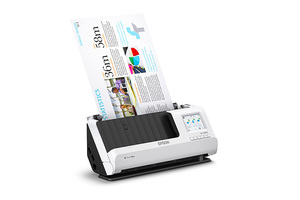
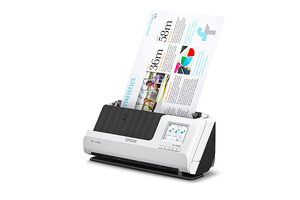
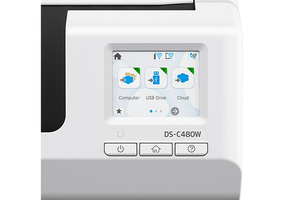
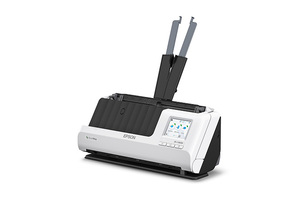
Get the most out of your workspace, add flexibility to how you work and experience true scanning power from virtually anywhere with the compact, wireless DS-C480W. Designed to deliver exceptional performance even in tight spaces, this versatile scanner offers a robust solution for managing your workflow—ScanWay® standalone scanning enables you to scan to a USB flash drive1, email or the cloud2 using the scanner’s large 2.4″ LCD touchscreen, no computer needed. The small and lightweight DS-C480W features a vertical paper feed system and saves up to 60 percent of desk space3, so you can stay productive even when space is limited. The scanner quickly scans 2-sided documents at speeds up to 30 ppm/60 ipm4 and accommodates cards, passports and other document types. Plus, a 20-page Auto Document Feeder makes it easy to scan in batches. The DS-C480W comes with intelligent image adjustment5 and includes TWAIN and ISIS® drivers for seamless integration with most document management systems.
- Fits in tight spaces
Compact, vertical design saves 60 percent of desk space1 with the same powerful performance as comparable commercial desktop document scanners
-
Quickly scan two sides at once
One-pass duplex scanning as fast as 30 ppm/60 ipm4; scan in batches with a compact 20-page Auto Document Feeder
-
Versatile network connectivity
Wi-Fi® connectivity (2.4 GHz and 5 GHz) enables scanning to mobile devices2, computers and the cloud2 -
Easy sharing and collaboration with ScanWaySave directly to a USB flash drive1; email or upload to popular cloud storage services2 such as Dropbox®, Evernote®, Google Drive™ and OneDrive®, no computer required
-
Easy operation and customizationA large 2.4″ color LCD touchscreen and customizable jobs make it easier for users to choose the right workflow
-
Remarkable versatilityScan documents of varying sizes up to 8.5″ x 220″6, from standard paper to cards and passports, using the flexible scan path
Notes:
1 USB device maximum capacity of 2TB (formatted in FAT®, FAT32 or exFAT®). Devices with security settings (such as password) cannot be used.
2 Wirelessly scan to smartphones or tablets (Android™/iOS® devices) via the Epson Smart Panel® app; download required. Data usage fees may apply. Wirelessly scan to the cloud, PCs or Macs with Epson Document Capture software installed on the connected Windows® PC or Mac®. Internet connection is required.
3 In vertical path scanning position compared to Epson DS-530 II with trays extended.
4 Based on letter-sized scans at 300 dpi in Black-and-White, Grayscale or Color Mode, using the USB interface.
5 See User’s Guide for details.
6 At 200 dpi. Maximum scan length will vary by resolution.
7 Epson Document Capture Pro software for Windows only; Epson Document Capture for Mac only.
8 Peak daily duty cycle is the highest recommended number of scanned sheets per day. For best results, do not exceed the peak daily duty cycle. Calculations based on maximum scanning speed and an assumed daily use time.
9 For convenient and reasonable recycling options, visit www.epson.com/recycle
10 SmartWay is an innovative partnership of the U.S. Environmental Protection Agency that reduces greenhouse gases and other air pollutants and improves fuel efficiency.