
What Is Epson ScanWay? PC-Free Network Scanning, Explained
If you have ever wanted a scanner a whole office can walk up to and use — without a dedicated computer wired to it, without installing drivers on every workstation, and without waiting on IT — this is the article for you. Epson calls that capability ScanWay, and it is the feature that turns a document scanner into a true, standalone network appliance.
At Scanner One, we work primarily with healthcare, government, finance, and enterprise teams running production document workflows — the exact environments where a shared, walk-up scanner earns its keep. Below we break down what ScanWay actually is, how it works, what it takes to set up, and which Epson scanners include it.
The Short Version: Built In, Not Installed
ScanWay is Epson’s built-in, PC-free scanning technology. The key word is built-in. ScanWay is not a program you install on a computer — it lives inside the scanner itself and is operated entirely from the unit’s 4.3-inch color touchscreen. A user loads their pages, taps a destination on the screen, and the document is scanned and delivered on its own. No PC. No driver. No desktop application in the loop.
According to Epson’s documentation, ScanWay lets you “scan and distribute documents directly from your product’s control panel without having to use a computer.” It is the same walk-up, standalone experience you would expect from a premium network appliance — now available across Epson’s network document scanner line at a more accessible price point.
Why “PC-Free” Actually Matters
Plenty of scanners are called “network scanners” simply because they have an Ethernet port. But many of them still require a computer to initiate the scan — someone has to sit at a PC, open software, and press a button. That is not truly PC-free.
A genuine ScanWay scanner removes the computer from the workflow entirely, which matters in a lot of real-world settings:
- Shared workgroups — a scanner in a hallway or copy room that anyone can use, with no assigned workstation required.
- Front desks and reception — capture IDs, intake forms, and paperwork straight to the right folder or inbox in seconds.
- Clean, secure, or restricted areas — clinical spaces, records rooms, or secure offices where you do not want (or cannot have) a dedicated PC sitting next to the scanner.
- Simplicity and support — fewer moving parts to maintain means fewer help-desk tickets and no per-workstation driver rollouts.
How ScanWay Works, Day to Day
Once it is set up, the everyday experience is refreshingly simple:
- Load your pages into the automatic document feeder.
- Tap a destination on the touchscreen — either a saved one-touch button or one of the built-in options: Email, Network Folder / FTP, Cloud, or USB Drive.
- Adjust settings if needed — color or black-and-white, resolution, single- or double-sided, file type.
- Press Start. The scanner processes the pages and sends the file to the destination you chose.
Save a destination as a preset with Quick Send turned on, and steps 2 through 4 collapse into a single tap. Epson designs ScanWay around three ideas:
- Computerless — run the entire workflow from the touchscreen.
- Share — send straight to email, folders, and cloud storage.
- Secure — optional user login (built-in or through your own authentication server) keeps shared devices controlled.
Where Your Scans Can Go
Out of the box, with no PC involved, ScanWay can send documents to:
- Email — directly to one or more recipients.
- Network folders (SMB) and FTP / FTPS servers — straight into your shared drives.
- Cloud services — popular platforms such as Dropbox, Google Drive, OneDrive, and Evernote.
- USB flash drive — plug in and save right at the scanner.
Setting It Up Is a One-Time Job
Here is the part that reassures IT: setup happens once, through the scanner’s built-in Web Config page. You open a normal web browser on any computer on the same network, type in the scanner’s IP address, and log in — there is nothing to install on the client side.
From there you:
- Enter your email (SMTP) server details so the scanner can send Scan-to-Email, then run the built-in Connection Test.
- Add your shared network folders — an SMB path like
\\server\scans, with credentials if the share requires them. - Register contacts — the email addresses and folders people scan to most.
- Create preset buttons — up to 48 one-touch destinations, each with a custom name and icon. Administrators can lock them so they do not get changed.
Destinations are registered under Web Config → Scan → Contacts. Here is what each destination type needs:
| Destination | Information required |
|---|---|
| A name (optional index word) and the recipient email address. Can be flagged as Frequent Use for quick access. | |
| Network folder (SMB) | A name, the path in the form \\host\folder, plus a username and password if the share requires one. The folder must be shared and reachable from the scanner. |
| FTP / FTPS | A name, the path ftp://host/folder (or ftps://…), a username and password, the connection mode (Passive if behind a firewall), and the port. |
Two things worth flagging before you deploy:
- Set the scanner’s date and time correctly. An incorrect clock can cause scan-to-folder and scan-to-email to fail — a surprisingly common first-day gotcha.
- SharePoint Online is not a direct ScanWay destination. It uses Epson’s Document Capture Pro with the SharePoint connector rather than the scanner’s built-in destinations.
The full walkthrough lives in Epson’s Administrator’s Guide, and if you would rather not touch Web Config at all, we are happy to help you configure it (more on that below).
Which Epson Scanners Have ScanWay?
At Scanner One, we stock the Epson network scanners built around ScanWay. All three deliver the same core promise — scan to email, a folder, the cloud, or USB straight from the touchscreen, no computer required — and differ mainly in speed, volume, and integration options.
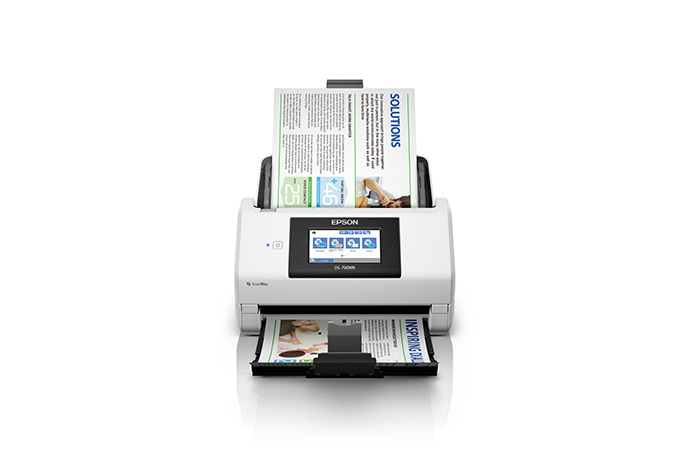
Epson DS-790WN
- 45 ppm / 90 ipm duplex
- WiFi + Ethernet, 4.3″ touchscreen
- 7,000-page daily duty cycle
- Best-value standalone network scanner
Epson DS-800WN
- 50 ppm / 100 ipm duplex
- WiFi + USB + Ethernet, EdgeLink
- 8,000-page daily duty cycle
- Third-party app integration on-screen
Epson DS-900WN
- 70 ppm / 140 ipm duplex
- 4.3″ touchscreen, EdgeLink
- 11,000-page daily duty cycle
- High-speed option for heavy volume
The DS-800WN and DS-900WN add Epson’s EdgeLink capability on top of ScanWay: third-party software integration right on the touchscreen. If you already run a line-of-business or content-management app and want operators to launch it from the scanner itself — not just drop files into a folder — that is the differentiator to look at.
The Three ScanWay Models at a Glance
| Model | Scan speed | Daily duty cycle | Best for |
|---|---|---|---|
| DS-790WN | 45 ppm / 90 ipm | 7,000 pages/day | The best-value walk-up network scanner for most offices |
| DS-800WN | 50 ppm / 100 ipm | 8,000 pages/day | Teams that want EdgeLink third-party app integration on the touchscreen |
| DS-900WN | 70 ppm / 140 ipm | 11,000 pages/day | Higher-volume capture that still needs PC-free EdgeLink workflows |
All three share the 4.3-inch color touchscreen, a 100-sheet automatic document feeder, and the full ScanWay PC-free experience. The right choice usually comes down to your daily page volume and whether you need EdgeLink’s on-screen app integration.
Buying and Servicing Your ScanWay Scanner Through Scanner One
Scanner One is an authorized Epson dealer, and every Epson DS scanner we sell ships with Epson’s standard limited warranty. Just as important for a device that sits in the middle of a workflow: all Epson scanner service — warranty and extended — is delivered through Epson’s Advance Exchange program. Epson ships a replacement unit before you return the failed one, so a hardware failure becomes a same-week swap rather than a multi-week depot trip.
We can attach an extended Epson Advance Exchange plan to your order at the time of sale — plans extend to three years — so your coverage is in place from day one. Talk to us before you buy if you want protection beyond the included warranty, and we will walk you through Epson’s service options so there are no surprises later.
The Bottom Line
If you are shopping for a network scanner and the goal is walk-up, standalone scanning that the whole team can use without a PC, Epson’s ScanWay-enabled models are exactly what you are looking for — and they come in well under the cost of comparable premium units.
Not sure which model fits your volume and workflow — or want us to handle the Web Config setup so it is ready to go on day one? Contact Scanner One or call us at 888-395-8570, and we will help you pick the right ScanWay scanner and get it configured for your environment.
Scanner One is an authorized Epson dealer. Specifications above reflect Epson’s published product information for the DS-790WN, DS-800WN, and DS-900WN.